1.6 If you forget your password
Nobody can read your password, so it cannot be looked up for you. Instead your lecturer gives you a temporary password, and you choose a new password of your own with it. Your graphs are not affected: everything you saved is still there afterwards.
- Step 1.
In the sign-in box, with the I’m a student tab selected, press Forgotten your password?.
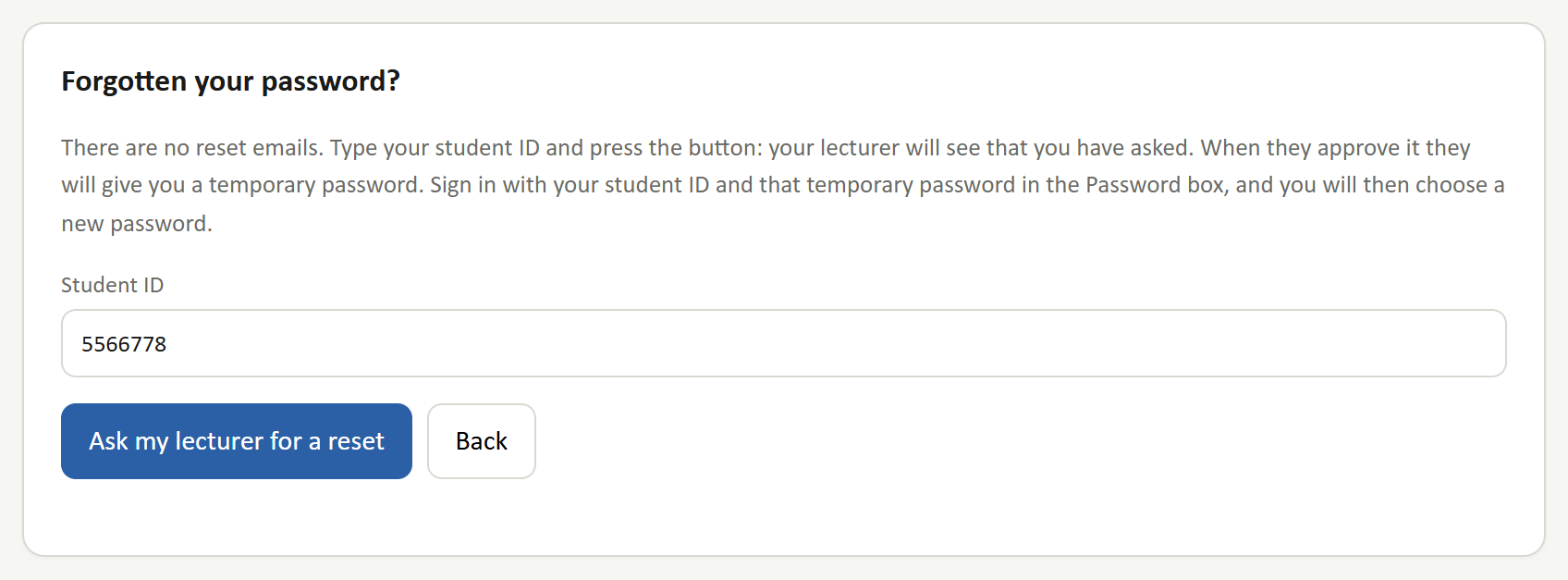
Figure 1.7. Forgotten your password? Type your student ID. - Step 2.
Type your student ID and press Ask my lecturer for a reset. The page says your lecturer has been told. It gives the same answer for every ID, so it does not reveal who is registered.
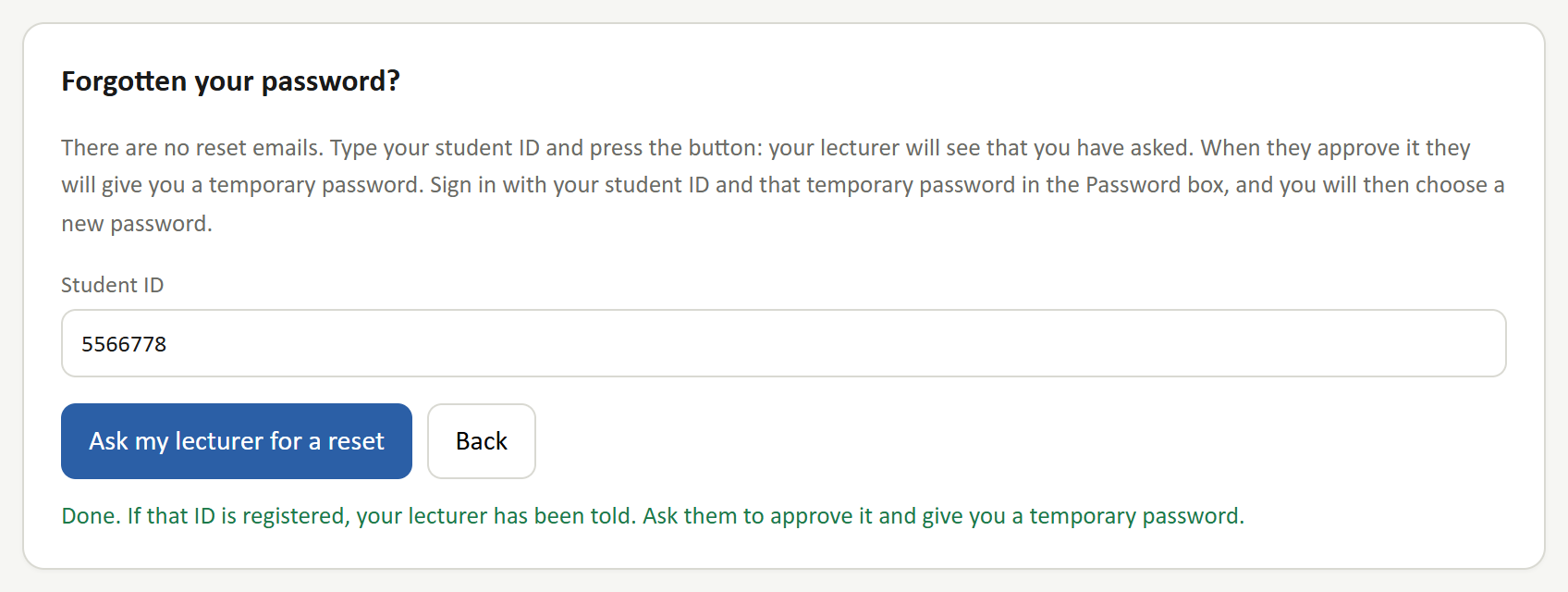
Figure 1.8. After asking: your lecturer has been told. - Step 3.Your lecturer approves the reset. You then get a temporary password: it is emailed to the address you gave when you first signed in, and your lecturer can also give it to you in person. It looks like
ABCD-EFGH. - Step 4.
Go back to the sign-in box. Type your student ID, and type the temporary password in the Password box. Capital or small letters both work, with or without the dash. Press Sign in.
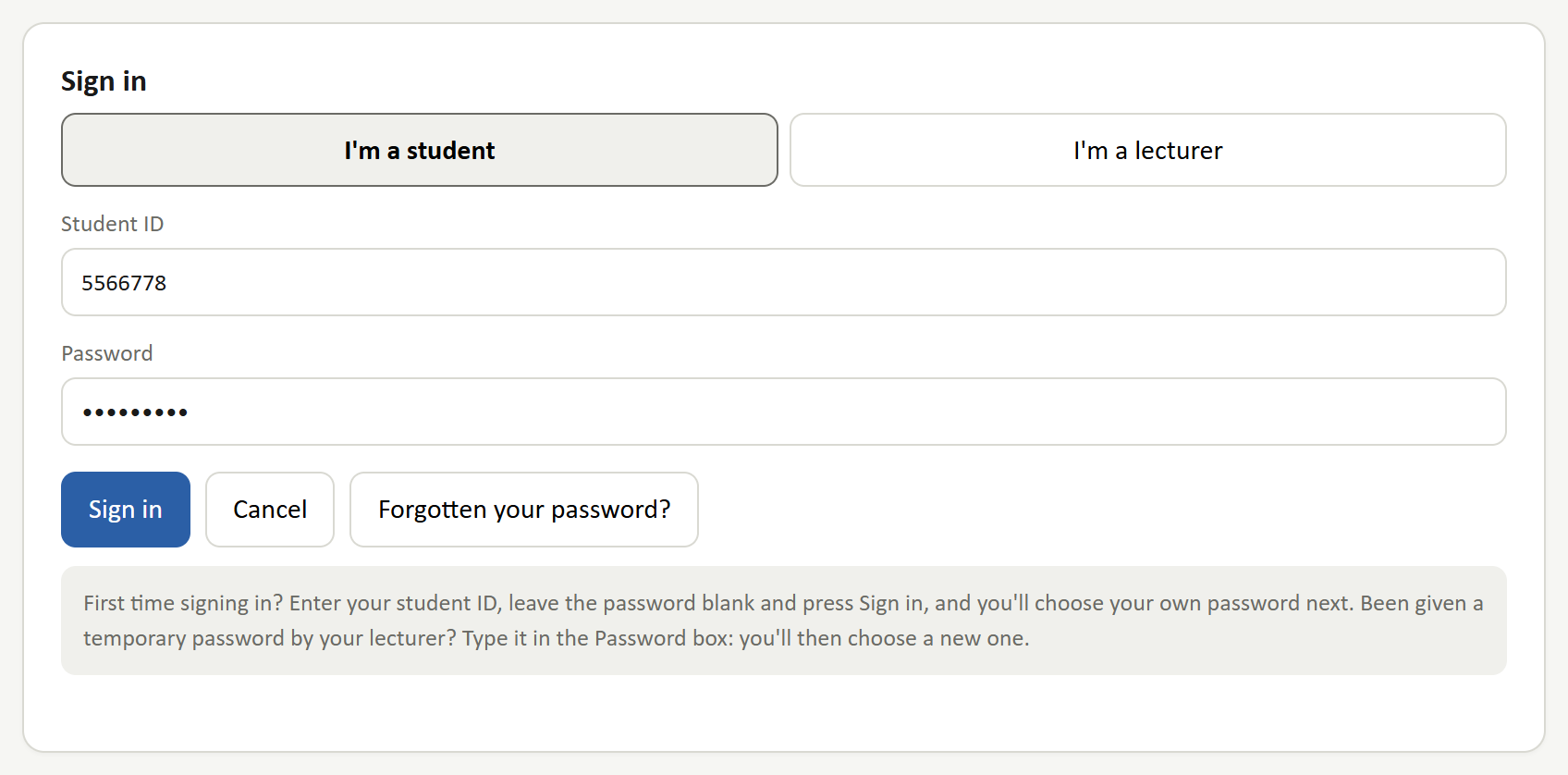
Figure 1.9. Type your student ID, and the temporary password in the Password box. - Step 5.
The page says your temporary password was accepted and asks you to choose a new password. Type one of at least 8 characters twice and press Set password & sign in.
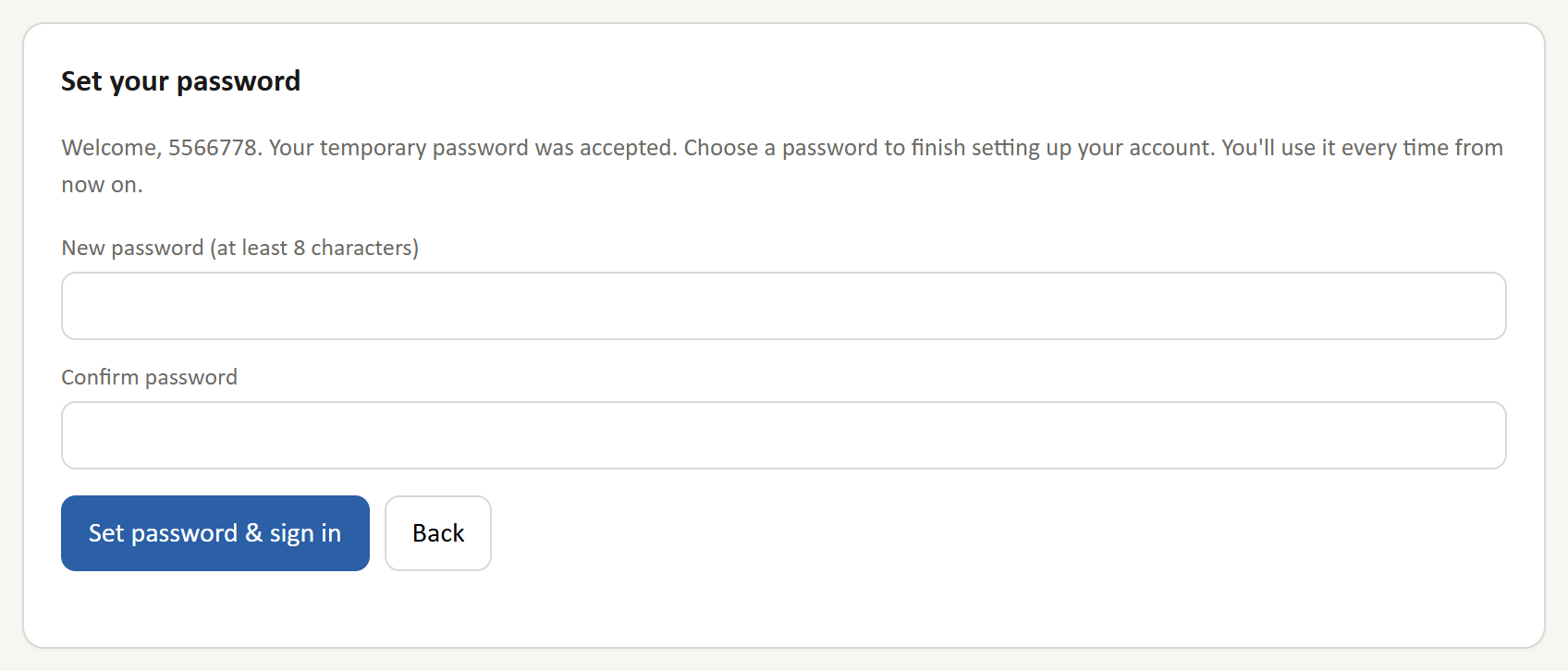
Figure 1.10. Choosing your new password. The email box does not appear if we already have your address.
The temporary password works once. Until you use it, your old password no longer works, and nobody else can sign in as you without it.
Do not pass the temporary password on to anyone. If you lose it, or it does not arrive, ask your lecturer to reset you again and they will give you a new one. Check your junk or spam folder if the email does not appear.