7.2 Hand in your coursework: Prepare coursework submission
- Step 1.Press Export… in the File buttons.
- Step 2.
Tick Prepare coursework submission, the blue box at the top. You must choose this option to submit your graph for the coursework. When you tick it, the other choices grey out: they are all covered.
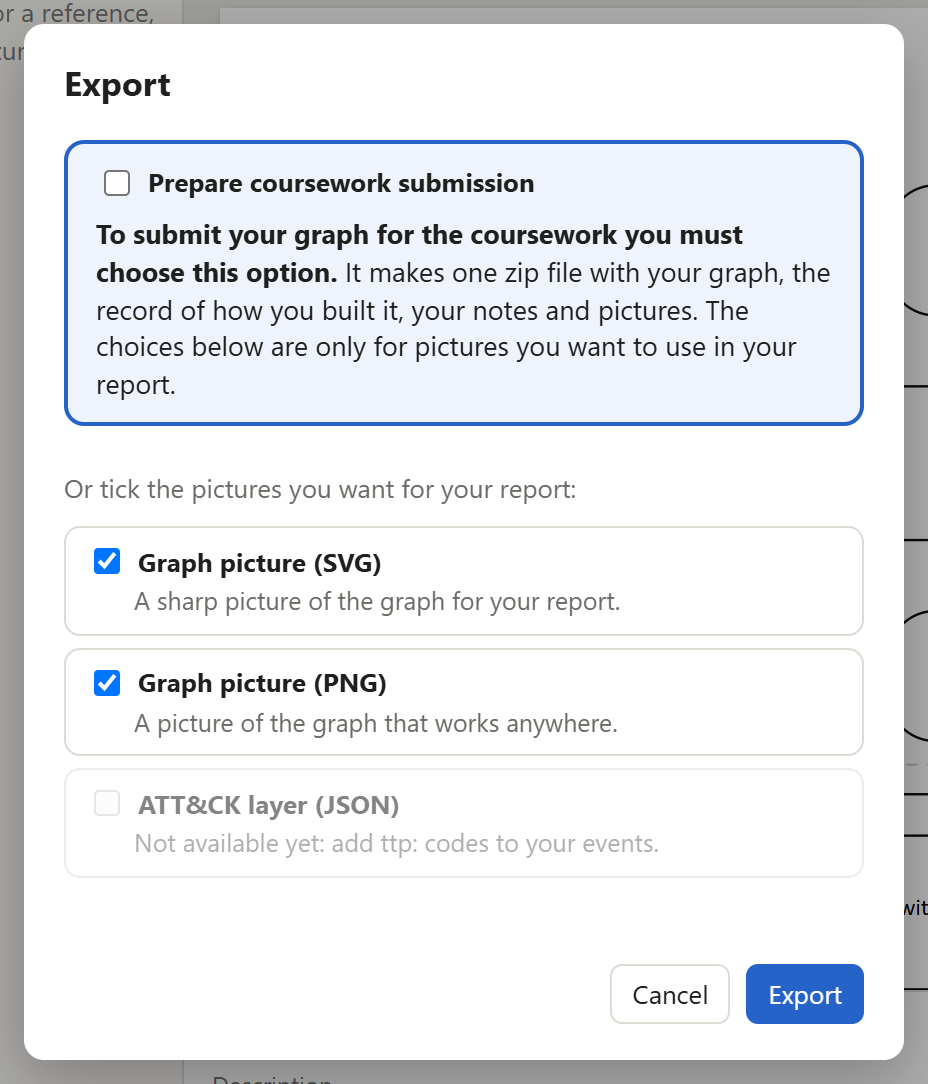
Figure 7.1. The Export box with Prepare coursework submission, the option you need to hand in your coursework. - Step 3.Press Export. One zip file downloads to your computer, named after your graph, ending
-coursework-submission.zip. - Step 4.Upload that zip file as your module’s instructions say. You do not need to unzip it first.
The zip contains your graph, the record of how you built it, your notes, and pictures of the graph.
Careful
Do not edit the files in the zip, or the graph file inside it, by hand. They include the record of how the graph was built, and the builder checks it. Make your changes in the builder, then export again.